


PicMonkey Photo Editor
4.21.54K Reviews
App Specs
- Version
- 1.20.12
- Updated On
- License
- Free
- Downloads
- 1,000,000+
- Developer
- Shutterstock Inc.
- Categories
- Photography
- Platform
- Android
Screenshots







 Analysis by AppCompare
When I’m choosing a photo editor, I want to know not only what I can make, but also where I’ll encounter account choices and possible costs. PicMonkey Photo Editor is a photography app from Shutterstock Inc., aimed at people who want to work on images and create visual designs from a phone. It has an average rating of 4.3 from around 12,000 ratings, and more than a million installs. Those figures suggest it has found an audience, but they don’t tell me whether it suits every editing habit.
The practical appeal is its mix of photo adjustments and design work. I can see it fitting a small business owner preparing a simple promotional graphic, someone making a card, or a person who wants a collage without moving between several apps. It is free to install and rated for Everyone, though in-app purchases range from $0.99 to $120 per item. That makes it sensible to explore the free experience first and pay attention to any purchase prompts before committing to a regular workflow.
Trust begins with choices you can see
I’m careful about what I assume when an app handles personal photos. The most useful approach is to judge the controls that are actually visible while using it, rather than treating a familiar name or a polished interface as proof of how data is handled. PicMonkey’s developer is Shutterstock Inc.; that context is worth knowing, but it does not answer every privacy question by itself.
Before editing a sensitive image, I’d pause at any account, sharing, or purchase step and read the wording on screen. A portrait, family photo, or picture containing identifying details deserves more care than a product shot intended for a public post. If an edit is only for private use, I would avoid sharing it as part of the editing process unless I had a clear reason to do so.
Use the app at your own pace
For a first session, I’d choose a non-sensitive image and test the basic steps: open it, make a small adjustment, add a design element, and check what happens when I try to save or share. This gives a useful sense of the workflow before I bring in a batch of personal pictures. It also helps reveal which options are available without a purchase and where the app asks me to make a decision.
PicMonkey is free to download, but that should not be confused with every tool being free to use. I’d treat the listed in-app purchase range as a reason to inspect the specific offer rather than guessing what a subscription or individual item includes. If a paid prompt appears, I’d compare its terms with how often I expect to use the feature; an occasional greeting-card project may not justify a recurring expense.
Getting Started: A Friendly Interface
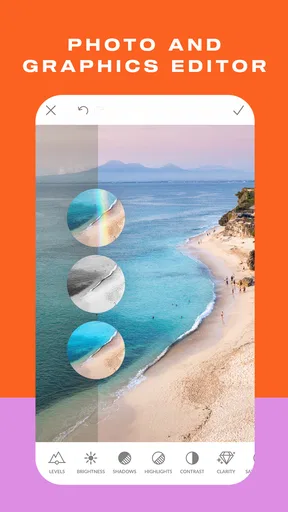
Right off the bat, PicMonkey Photo Editor greets you with a sleek and user-friendly interface. It’s got this vibe that makes you feel like a pro, even if you’re just starting out. Navigating through the app is a breeze, thanks to its intuitive design. Whether you’re looking to crop an image, adjust the brightness, or add a funky filter, everything is just a tap away.
Worth Reading Before You Choose

EA SPORTS FC Mobile 26 Is a Bigger Football Game, but It Takes Time

Flipboard Shows What News Apps Must Do Beyond the Feed

Switching to Android Auto Means Rethinking Your Driving Routine

Google Calendar Makes a Crowded Week Easier to Manage

Ludo King Makes the Most of the Minutes Between Plans

Baby Panda World Brings Quick Play to Modern Phones, but Its Game Library Feels Busy
The app offers a quick tutorial for newcomers, which I found really helpful. It doesn’t bombard you with too much info, just the right amount to get you started. And trust me, even if you skip it, you’ll find your way around easily.
Features That Stand Out
This app is packed with a ton of features, and I’m not kidding. Let me walk you through some of the highlights that I found particularly useful.
- Filters and Effects: PicMonkey has a wide array of filters and effects that can transform any ordinary picture into something eye-popping. Whether you want a vintage look or something more futuristic, there’s a filter for you.
- Touch-Up Tools: Feeling a little self-conscious about that blemish? The touch-up tools are here to save the day. I tried the blemish fix and teeth whitener, and they worked wonders!
- Text and Graphics: Adding text and graphics is super easy. I love the variety of fonts and graphics available. It’s like having a mini design studio in your pocket.
- Collage Maker: For those who love to create collages, this feature is a must-try. The templates are diverse, making it easy to put together a collection of your favorite moments.
Build a repeatable editing routine
One way I’d get more from the tools is to decide the image’s purpose before editing. A photo destined for a small social post needs a different treatment from a card or flyer: for the first, I’d keep the crop clear and effects restrained; for the second, I’d leave room for text and check that it remains readable on a phone screen. Starting with the final use in mind helps prevent decorative elements from overwhelming the picture.
For a collage, I’d pick images with a shared subject or color rather than filling every space with unrelated shots. A small selection often tells a clearer story than a crowded grid. With touch-up tools, I’d also make a light pass and compare the result with the original. Blemish correction and teeth whitening can be useful for a quick portrait, but pushing them too far can make a person look unlike themselves.
A realistic use might be putting together a last-minute birthday card from a few family photos. I’d choose the clearest pictures, arrange them in a collage, add a short message, then inspect the design at the size it will be viewed. That workflow makes the app’s combination of image editing and graphic elements more relevant than using a photo-only editor, while keeping the job small enough to finish on a phone.
Where it fits among other editors
Compared with a basic photo editor, PicMonkey’s advantage is the path from a corrected image to a designed piece: text, graphics, and collage work sit alongside filters and touch-up options. That can save the interruption of exporting a picture and opening a separate layout app. The trade-off is that someone who wants only precise photographic adjustments may prefer a dedicated editor whose main focus is fine control over the image rather than making cards or promotional artwork.
It is also not my first choice for every design task. If I need a highly controlled layout, exact brand specifications, or a complex project built from many layers, I’d look for a tool designed around that kind of production. PicMonkey makes more sense for approachable, compact jobs where speed and a friendly interface matter more than exhaustive control.
Performance and Usability
Now, let’s talk about the app’s performance. On my device, PicMonkey ran smoothly without any hiccups. I didn’t experience any lag, which is a big plus when you’re in the zone editing photos.
One thing I noticed is how seamless the app integrates with social media platforms. You can edit your pictures and share them directly to Instagram, Facebook, or any other platform you fancy. It’s all about convenience, and PicMonkey delivers.
However, it’s worth mentioning that some of the more advanced features are locked behind a subscription. While the free version is pretty robust, those looking for premium features will need to consider upgrading.
Small checks that prevent bigger annoyances
When I’m preparing an image to share, I check the crop and text at a reduced viewing size before sending it out. Fine lettering that looks clear while editing can become hard to read in a feed, and a face close to the edge can be clipped by a different display format. Making that check before sharing is a simple way to avoid having to redo the design later.
I’d also keep the original image available until I’m happy with the finished version. That gives me room to try a stronger filter or a more adventurous crop without treating the first edit as irreversible. If a feature is behind a paid offer, I’d test whether the same result can be achieved with a simpler adjustment before deciding whether the extra tool is worth paying for.
The app’s current version is 1.20.11, and it requires Android 8.0 or later. I’d check that requirement against the device I plan to use, especially if I’m considering installing it on an older phone. The free entry point makes it easy to try, but the purchase range means I’d still make deliberate choices rather than assuming every attractive option is included.
Final Thoughts: Is It Worth It?
In my humble opinion, PicMonkey Photo Editor is a fantastic tool for anyone passionate about photo editing. Whether you’re a beginner or a seasoned editor, this app offers something for everyone. The variety of tools and ease of use make it a great choice for quick edits or more detailed work.
For those who love sharing their creativity with the world, this app makes it easy to create stunning visuals in no time. Sure, the subscription model might not be for everyone, but the free version is more than enough to get started.
So, if you’re on the lookout for a powerful yet user-friendly photo editing app, give PicMonkey a shot. Trust me, it’s worth checking out!
My cautious recommendation
I’d recommend trying PicMonkey if your usual projects are portraits, collages, cards, or simple promotional graphics and you value having those jobs together in one mobile app. It is less compelling if your priority is meticulous image correction, a fully controlled design workflow, or avoiding paid prompts altogether. Its blend of accessible editing and layout tools is the real reason to consider it, not a promise that it replaces every specialist app.
My approach would be to begin with a casual, non-sensitive photo, learn the editing and sharing path, and decide whether the free tools cover the work I actually do. PicMonkey has been available since July 26, 2016, and its established presence is reassuring as context, but I’d still make privacy and spending decisions based on the choices shown in the app itself. Used selectively, it can be a handy creative workspace; used with realistic expectations, it is easier to tell whether it deserves a place on your phone.
Pros
- User-friendly interface for beginners.
- Wide range of editing tools available.
- Cloud storage for easy access.
- Regular updates with new features.
- Supports multiple file formats.
Cons
- Limited free version features.
- Occasional app crashes reported.
- Requires internet for full functionality.
- Subscription can be expensive.
- Mobile app lacks some desktop features.
FAQs for PicMonkey Photo Editor
What features does PicMonkey Photo Editor offer?
PicMonkey Photo Editor provides a variety of tools for photo editing, including filters, effects, touch-up tools, and text overlays. It also offers design features for creating social media graphics, collages, and more. The app is user-friendly, making it ideal for both beginners and experienced users who want to enhance their photos creatively.
Is PicMonkey Photo Editor free to use?
PicMonkey offers a free trial with limited features, but for full access, a subscription is required. The subscription unlocks advanced tools and features, including premium effects and fonts. Users can choose between monthly and annual plans based on their needs, making it flexible for different types of users.
Can PicMonkey be used offline?
PicMonkey Photo Editor requires an internet connection for most of its features as it is heavily reliant on cloud-based processing. This means that to access the full range of tools and to save your work, you’ll need to be online. However, some basic features might be accessible offline.
Is PicMonkey suitable for professional photo editing?
While PicMonkey offers robust editing tools and features, it is generally geared towards casual users and small business owners looking for quick, professional-looking edits. Professional photographers might find the app lacking in advanced editing capabilities found in more comprehensive software like Adobe Photoshop.
How does PicMonkey handle user privacy and data?
PicMonkey is committed to user privacy and complies with standard data protection regulations. It uses encryption to protect user data and provides users with privacy settings to control what information is shared. Users should review PicMonkey’s privacy policy to understand how their data is managed and stored.


